For small businesses & growing teams

Run payroll.
Build with your team.

One app for business budgets, employee payroll, partner collaboration, and granular permissions — all offline-first, all on iOS and Android.

A
B
C
+
Built for small teams & growing businesses
★★★★★  Rated on the App Store & Google Play
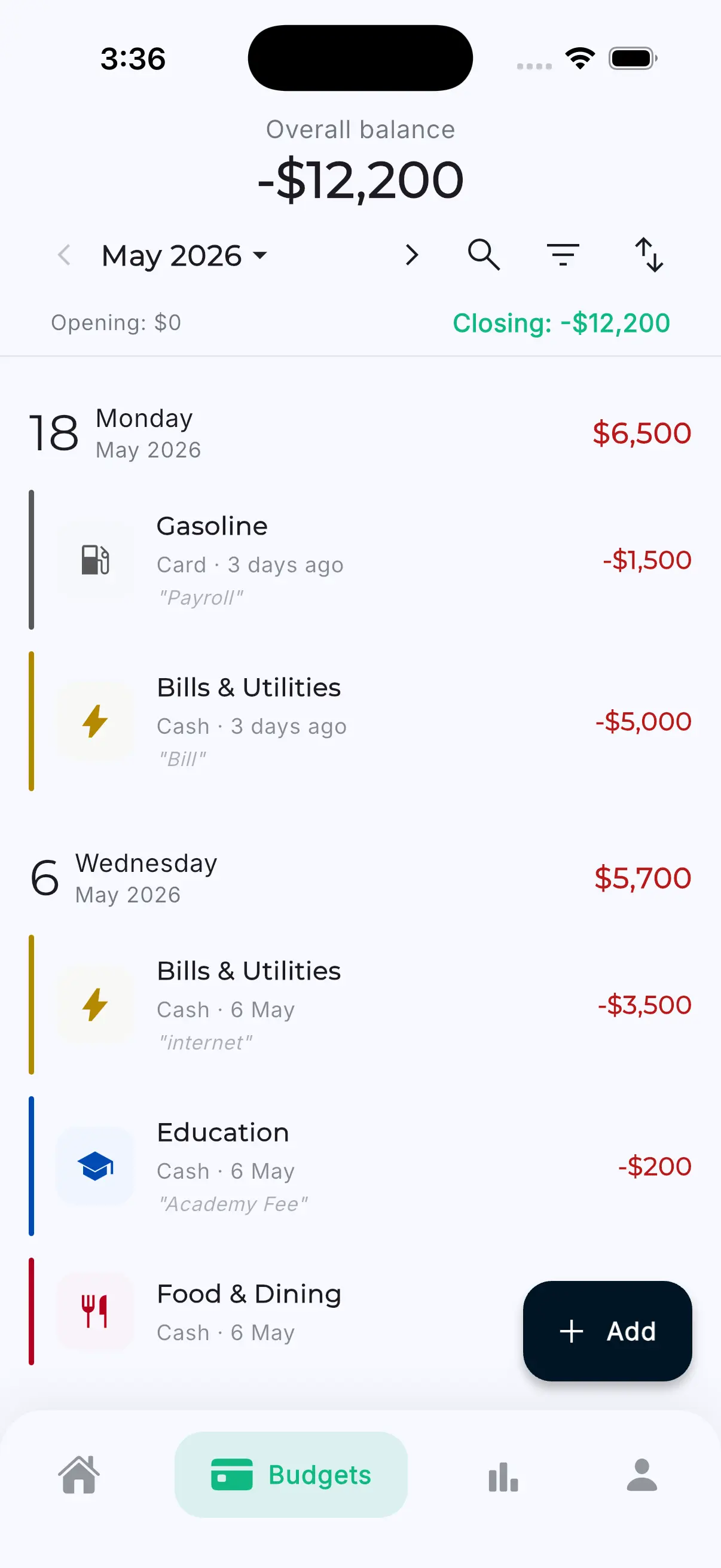
Business budget overview screen
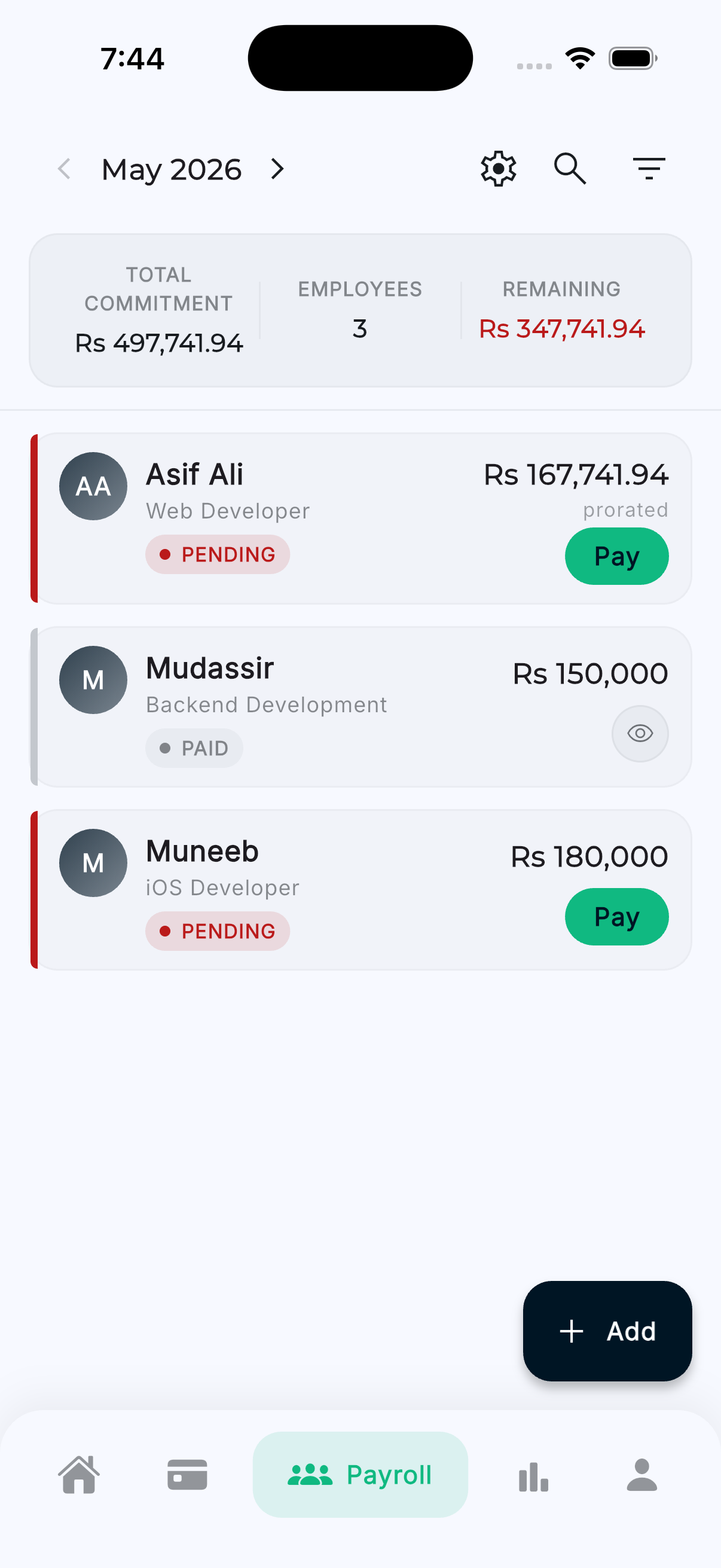
Payroll management screen
5+
Team members / business
Employees per budget
3
Permission tiers
150+
Currencies
Payroll, built in

Run payroll
in minutes, not hours

Add your team, set monthly salaries, and record payments right from your business budget. Every salary paid is deducted from your business balance, tracked against the employee's payment history, and reflected in your monthly statements automatically.

  • Add employees with name, designation, and contact details
  • Set a monthly salary per employee — change anytime
  • Prorated salaries for mid-month hires and exits
  • Set a payroll release day so payments flow on the same date
  • Default business account for one-tap salary payouts
  • Full payment history per employee — perfect for tax and audits
June 2026 · Payroll 3 / 4 paid
DC
Diana Carter
Designer · $3,000 / mo
Paid
MR
Marcus Reed
Engineer · $5,000 / mo
Paid
SP
Sofia Patel
Marketing · $4,200 / mo (prorated)
$1,400 / $2,800
JT
James Tanaka
Ops · $2,800 / mo
Pending
Total monthly commitment
$15,000
Paid this month
$9,400
Granular permissions

Three roles, full control

Invite partners, accountants, managers, and teammates. Each role has exactly the access they need — nothing more, nothing less.

Viewer

Read-only access for stakeholders who need visibility into the business but shouldn't be able to make changes.

  • See all transactions and analytics
  • View the employee directory
  • Export reports for accountants
  • Cannot edit, add, or delete
Most common

Editor

Day-to-day operators — managers and senior team members who record transactions and run payroll.

  • Everything in Viewer
  • Add and edit transactions
  • Add and edit employees
  • Record salary payments each month

Admin

Business owners and finance leads — full control over the budget, the team, and integrations.

  • Everything in Editor
  • Invite and remove collaborators
  • Change budget settings and permissions
  • Deactivate or delete the business budget
✉️

Invite a collaborator

Send a secure invitation by email

sara.partner@yourcompany.com
Viewer
Editor ✓
Admin
Pending invitations
SK
sara.partner@yourcompany.com Editor · Pending
AT
ali.t@finance.co Viewer · Pending
Add partners in seconds

Bring your
accountant, partner, CFO

Send a secure invitation by email and pick the role that matches what they should see. They get their own Budget Collab account — no shared logins, no spreadsheets flying around over email.

  • Email-based invitations — partners get a private account
  • Pending invitations list with resend and revoke
  • Change a member's role any time without removing access
  • Remove a member and they instantly lose access
Real-time collaboration

Everyone sees the
same numbers, instantly

When an Editor records a salary payment or an Admin changes a budget setting, the change shows up for every collaborator in seconds. No refresh, no "did you see my email?" — just a single shared source of truth.

Instant updates

Changes appear on every collaborator's phone within seconds of being saved.

📡

Works offline

Record salary payments anywhere. They sync when you're back online — nothing gets lost.

🔁

Auto-sync

Local edits reconcile with the cloud automatically. Conflict resolution keeps the books clean.

Business FAQ

Questions about running a business with Budget Collab

+

How does payroll work in Budget Collab?

Add employees to your business budget with their monthly salary. Each month, mark their salary as paid from your business account — the amount is deducted from your business balance and recorded against the employee's payment history. Budget Collab supports prorated salaries when an employee starts or leaves mid-month, and you can set a payroll release day so the workweek flows around the same date each month.
+

How many employees can I manage?

Business Basic includes up to 5 team members per business budget. Business Pro supports up to 25. There is no limit on the number of employees you can record — the team-member cap refers to people who sign in and collaborate in the budget, not the size of your employee directory.
+

How do I invite a partner or accountant?

Open the business budget, go to Settings, and tap "Invite Collaborator." Enter their email and pick a permission level — Viewer, Editor, or Admin. They'll receive an email invitation and once accepted, they can see (and depending on their role, edit) the budget from their own Budget Collab account.
+

What's the difference between Viewer, Editor, and Admin?

Viewer can see all transactions, employees, and analytics but cannot edit. Editor can add transactions, manage employees, and record salary payments. Admin has full control — everything an Editor can do, plus inviting and removing collaborators, running payroll, and changing budget settings.
+

Does the business budget work offline?

Yes. Add employees, record salary payments, and approve expenses while you're offline. Every change is queued locally and syncs automatically when you're back online, so you can run payroll from a coffee shop, a job site, or anywhere with a spotty connection.
Business pricing

Two plans that grow with you

Both include a 7-day free trial · No credit card required · Cancel anytime

Business

$4/month

or $27.99/year · save ~42%

  • 1 business budget
  • Up to 5 team members
  • Built-in payroll & salary tracking
  • Granular permissions (Viewer · Editor · Admin)
  • Priority support
Start free trial
Most power

Business Pro

$7/month

or $49.99/year · save ~40%

  • Everything in Business
  • Up to 10 business budgets
  • Up to 25 team members
  • Advanced analytics & reporting
  • CSV & PDF export
Start free trial

Ready to run your business in one place?

Start a 7-day free trial. No credit card required. Cancel anytime.